An LCD instrument panel can turn the space behind a steering wheel into a clearer, more adaptable source of driving information. Instead of fixed needles and printed scales, a screen can present speed, fuel level, warnings, and navigation cues in organized layouts. That flexibility matters when drivers need to read essential details quickly, without searching across a crowded dashboard. Good visibility is practical, not flashy.
Brightness, contrast, viewing angle, and glare control all affect how well the display works in midday sun or at night. Touch controls are not always the answer; physical buttons may be easier to use while driving. A useful design balances digital options with familiar, glanceable information. Less can be more.
For buyers and vehicle designers, choosing a Lcd Instrument Panel means weighing more than screen size or graphics. Display quality, software stability, temperature tolerance, repair options, and long-term parts support deserve attention. A crisp screen may still frustrate if icons are small, menus respond slowly, or warnings are hard to distinguish. Not every feature improves safety. During a test drive, check readability in bright light and shade, and notice whether common information is easy to find. A showroom demonstration cannot show every real-world limitation. This guide explores the benefits, trade-offs, and selection factors behind LCD dashboards, helping readers consider what matters before buying or upgrading.
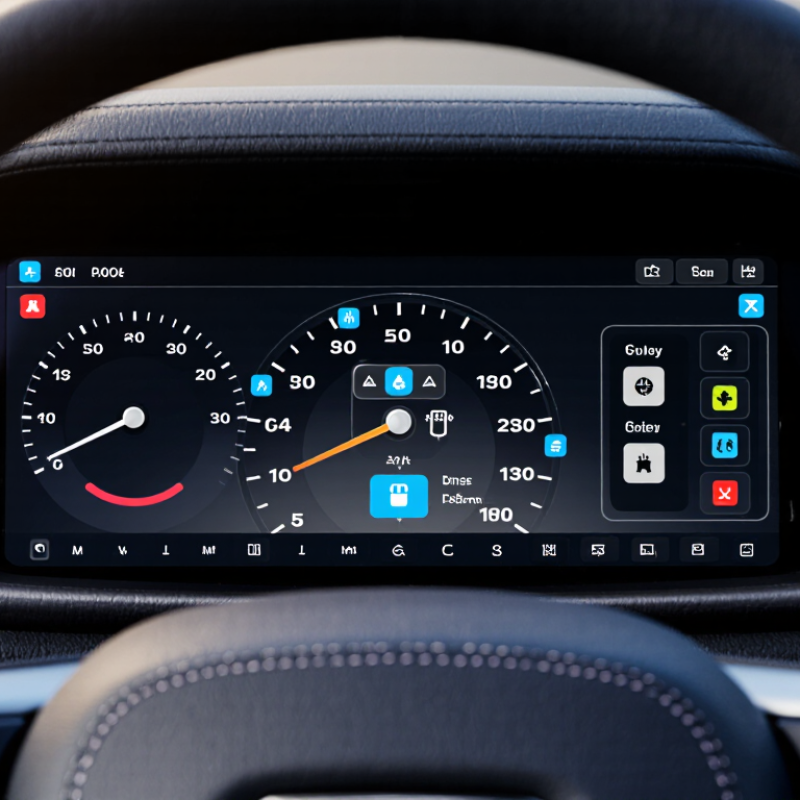
An LCD instrument panel is a display that shapes light rather than producing it. In a TFT panel, a backlight sits behind the liquid-crystal layer. Thin-film transistors control the voltage at individual pixels, changing how much light passes through. The screen itself is not glowing pixel by pixel.
Each color pixel typically contains red, green, and blue subpixels. Their filtered light blends to form digits, warning symbols, and shaded graphics. A speed reading might use bright white figures against a dark field, while a fuel icon adds a small amber area. Precise control helps keep these details clear. Tiny elements matter.
For drivers, the backlight can support readable displays in dim cabins, but performance depends on brightness, surface treatment, and viewing angle. Direct sun may still cause reflections. LCDs can also show less convincing blacks than displays that switch off individual pixels, because some backlight may leak through. That trade-off is easy to overlook. In a vehicle, temperature range, vibration resistance, and nighttime dimming deserve attention alongside resolution. A sharp screen is useful, but only when its information stays legible from the driver’s seat.
An LCD instrument panel forms images by controlling how much light passes through each pixel. The light comes from a separate backlight behind the display. In daylight, that steady illumination can make speed and warning symbols easy to read. At night, the panel dims the backlight to reduce glare, though its darkest areas may still look slightly gray.
OLED pixels produce their own light, so individual pixels can switch off for deep blacks and strong contrast. That can make a night-time map look crisp. LCD panels have a different strength: their image depends on a backlight rather than many tiny light sources. Performance still varies with panel design, viewing angle, temperature, and brightness settings. A specification sheet cannot tell the whole story; check the display from the driver’s seat in both bright sun and a dim cabin.
Tips: Look for automatic dimming and test whether text stays clear through polarized sunglasses. Check for uneven brightness near the panel edges. Small differences matter during a long drive. I would also avoid judging an LCD only by its black screen; that comparison can be misleading in daylight.
Why Choose an LCD Instrument Panel for Your Vehicle?
An LCD instrument panel can present speed, warnings, and trip information in a clear, configurable layout. Its performance still depends on the conditions behind the glass. In a parked vehicle, cabin temperatures can swing sharply between freezing mornings and hot afternoons. The display must remain readable, and its electronics must keep working through those changes.
Check the specified operating temperature before choosing a panel. A range from −40°C to +85°C is common in automotive applications, but it is not a universal guarantee. Confirm whether the rating applies to normal operation, storage, or both. Cold can slow a display’s response, while heat may reduce contrast or shorten component life. Direct sunlight, humidity, and rapid temperature changes also matter. A suitable rating is a useful starting point, not the whole test.
Tips: Ask for the panel’s temperature test conditions and check whether readability was assessed across the full range. Compare the figures with your vehicle’s expected cabin exposure. Small detail, big difference. Also inspect the display after cold starts and hot-soak conditions when possible; a specification sheet cannot show every real-world quirk.
Check the temperature rating: −40°C to +85°C is a common automotive operating range.
This range illustrates a common automotive specification, not a guarantee for every LCD panel. Check the product datasheet to confirm its operating-temperature rating.
An LCD instrument panel should be judged by more than its sharp appearance. ISO 15008:2017 provides criteria and compliance procedures for visual information presented inside vehicles. Its focus is whether drivers can read important content clearly, not whether a screen looks impressive in a showroom. This makes it a useful reference when comparing panel layouts and display settings.
Assessment can consider luminance contrast, character legibility, spacing, and how information appears under different viewing conditions. For example, a speed reading should remain distinct when sunlight falls across the dashboard, while night-time dimming should not make digits disappear. Test the display from realistic seating positions, not just straight ahead. Small details matter. Reflections, small labels, or crowded symbols can make a technically bright screen harder to use.
A careful review should record the viewing conditions and the display settings used, so results can be repeated. ISO-based checks help identify problems, but they cannot replace evaluation in the actual vehicle. A compliant display can still feel crowded, and that deserves attention. Drivers may glance at the panel briefly, with little time to interpret decorative graphics. Keep key readings prominent, use clear contrast, and verify the layout with people who will use it. The first design may not be the clearest. That is worth testing.
An LCD instrument panel should fit the driving tasks it needs to show, not simply look large. Screen size affects how easily drivers can read speed, warning lights, navigation cues, and vehicle settings at a glance. A 7-inch display may suit a compact dashboard, while a wider panel can separate several information areas more clearly. Tiny labels are tiring to read, especially in bright daylight.
Resolution matters too. A crisp display keeps small numbers and icons distinct, but extra pixels cannot fix crowded layouts. Check whether key information remains legible from the normal seating position and under changing light. Small details matter.
Controls also shape the choice. If drivers adjust settings through the screen, touch targets need enough space and should be easy to reach without leaning forward. Physical buttons can make frequent tasks simpler. The best arrangement varies by vehicle, and an attractive layout may still feel awkward once the car is moving.
Tips: Compare screen size and resolution with the actual dashboard space. Preview common views, such as speed, fuel level, and alerts, from the driver’s seat. Make text larger if needed, and keep essential details prominent. It is easy to overlook glare; check the screen in sunlight before settling on a configuration.
A backlight shines behind the panel. Each pixel controls how much light passes through.
The backlight may remain faintly visible, even in dark areas. Dimming helps reduce glare, but may not create deep blacks.
OLED pixels make their own light and can switch off. This can give map details strong contrast. Small details matter.
Check both in bright sunlight and a dim cabin. View them from the driver’s seat, not just straight ahead.
Look for clear speed readings and warning symbols. Notice reflections across the dashboard and whether small labels remain readable.
They can make some displays harder to view. Test the actual panel while wearing your usual sunglasses.
It provides criteria for visual information inside vehicles, including contrast, character legibility, and spacing. It is a useful reference, not a complete road test.
Uneven brightness near the edges, crowded symbols, and labels that appear too small. I might overlook these in a quick showroom check.
Record the brightness setting, lighting, and viewing position. Repeat the check in the vehicle; one test can still miss something.
An Lcd Instrument Panel uses a liquid crystal display, often built with TFT technology. Its pixels form images by controlling red, green, and blue subpixels, while a separate backlight provides illumination. This differs from OLED, where each pixel produces its own light. The backlight-based design is an important factor to consider when comparing display characteristics and choosing a screen for a vehicle.
Automotive displays also need to suit demanding conditions and everyday driving. A temperature rating of −40°C to +85°C is common for this type of application, though requirements vary by vehicle. Legibility should be assessed against the in-vehicle display criteria in ISO 15008:2017, with attention to how clearly information can be read. Finally, choose screen size and resolution to fit the driving tasks, available space, and vehicle controls, so essential information is clear without making the panel unnecessarily complex.

Dongou